You’ve built a complete landing page (that was Part 9). In this final part we make you fast — with templates and reuse so you never start from a blank page again — take a quick tour of the Pro power features worth knowing about, and finish with the best-practice habits that keep your sites quick and tidy. Then we’ll wrap up the whole series.
📚 Part 10 — the finale — of my in-depth Elementor series (within my WordPress Plugin Guides). New here? Start with Part 1: Installing Elementor. Every screenshot was captured in a real, free WordPress Playground.
Templates: never start from scratch again
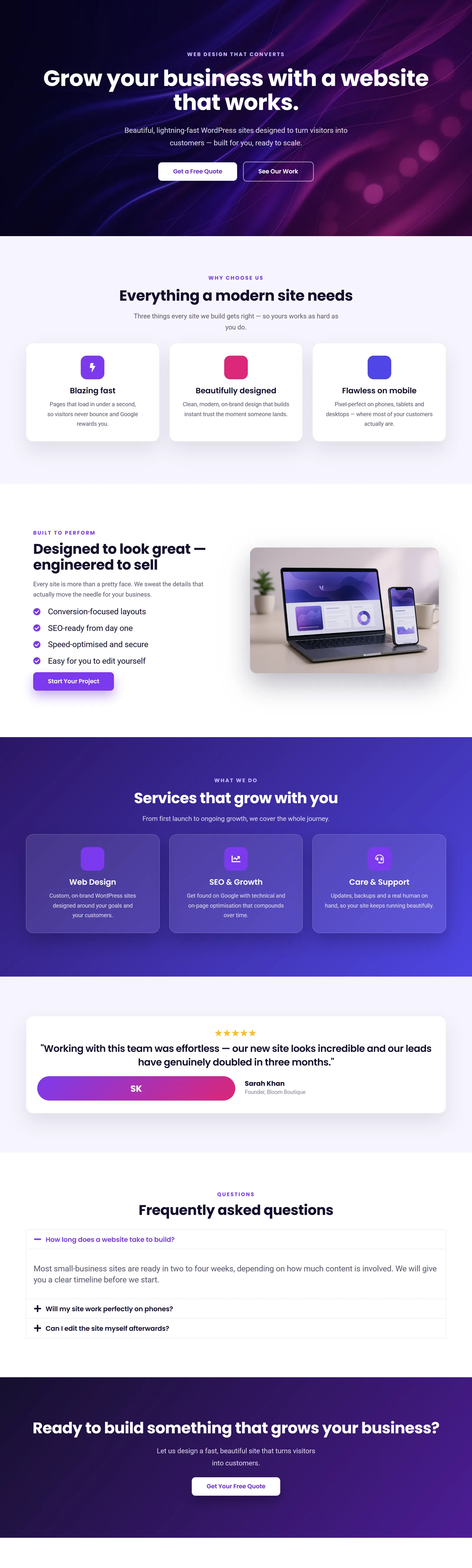
Any section you build can be saved and reused. Right-click a container and choose Save as Template; it lands in your Template Library, ready to drop into any page on any site you build. The whole landing page from Part 9 is just a stack of sections — and every one of them can become a reusable template:
Elementor also ships with a big library of ready-made page and block templates (and full Kits — whole pre-designed websites). Click the folder icon when adding a new section to browse them, insert one, and swap in your own text and images. It’s the fastest way to a professional result.
💡 Build your own kit: save your favorite hero, services row, testimonial and CTA as templates. Over time you’ll have a personal toolkit that lets you assemble a polished page in minutes — consistent, on-brand, and yours.
A tour of Elementor Pro
Everything so far works in the free version. Elementor Pro is optional, but a few of its features are genuinely transformative once you’re comfortable:
- Theme Builder — design your header, footer, single-post and archive templates visually, instead of being stuck with whatever your theme provides. This alone is why most pros buy Pro.
- Form widget — build contact, quote and signup forms with no separate plugin, wired to email and your favorite marketing tools.
- Popups — design newsletter, promo and exit-intent popups with full targeting rules.
- Dynamic content & loops — pull titles, images and custom fields automatically, so one design powers hundreds of posts or products.
Don’t feel you need Pro to start — the free version built everything in this series. Reach for Pro when you hit a real wall, usually around custom headers/footers or forms.
Best practices that keep sites fast & tidy
- Lean on globals. Colors and fonts from your global system (Part 7), not one-off values — future-you will be grateful.
- Don’t over-nest. A container inside a container inside a container slows pages down and gets confusing. Keep your structure as flat as the layout allows.
- Optimize images. Upload images at the size they’ll display and compress them. Heavy images are the number-one cause of slow Elementor pages.
- Mind your widget count. Every widget adds weight. Use the simplest widget that does the job, and delete what you don’t need.
- Always check mobile. Make it the last step before you publish, every single time (Part 8).
✅ Try it yourself: Save your Part 9 hero as a template, start a brand-new page, and drop it in. Watch a finished section appear in one click. That’s the moment Elementor stops being a tool you’re learning and starts being a tool you’re using.
That’s the series — you can build with Elementor
Ten parts ago, Elementor was a blank editor. Now you can install it, structure a page with containers, fill it with widgets, style it, systemise your design, make it responsive, build a full landing page and reuse your work. That’s a real, marketable skill. Here’s the whole journey in one place:
- Installing Elementor & building your first page
- The editor & how a page is structured
- Designing layouts with Flexbox containers
- Essential widgets: build a hero
- Widgets that bring pages to life
- Design controls: spacing, color, borders & shadows
- Global colors & fonts: your design system
- Responsive design for mobile
- Build a complete landing page
- Templates, reuse & Pro power (you’re here)
Prefer to skip the learning curve and just have a polished, fast site built for you? See how I can help build your WordPress site. Thanks for following the whole series!