Welcome to the final part of the series. By now your Rank Math setup is solid: installed, configured, titles sorted, every post optimised, sitemap submitted. This last instalment is about the advanced modules — the powerful extras you switch on as your site grows: Redirections, the 404 Monitor, Schema markup, and Local SEO.
You don’t need all of them on day one. But knowing what they do means you’ll reach for the right tool at the right moment.
📚 Part 6 — the finale of my in-depth Rank Math series (within my WordPress Plugin Guides). Each of these features is a module you enable from the dashboard — see Part 2 for a refresher.
Here are three of them sitting in the module grid — flip the toggle to switch each on:
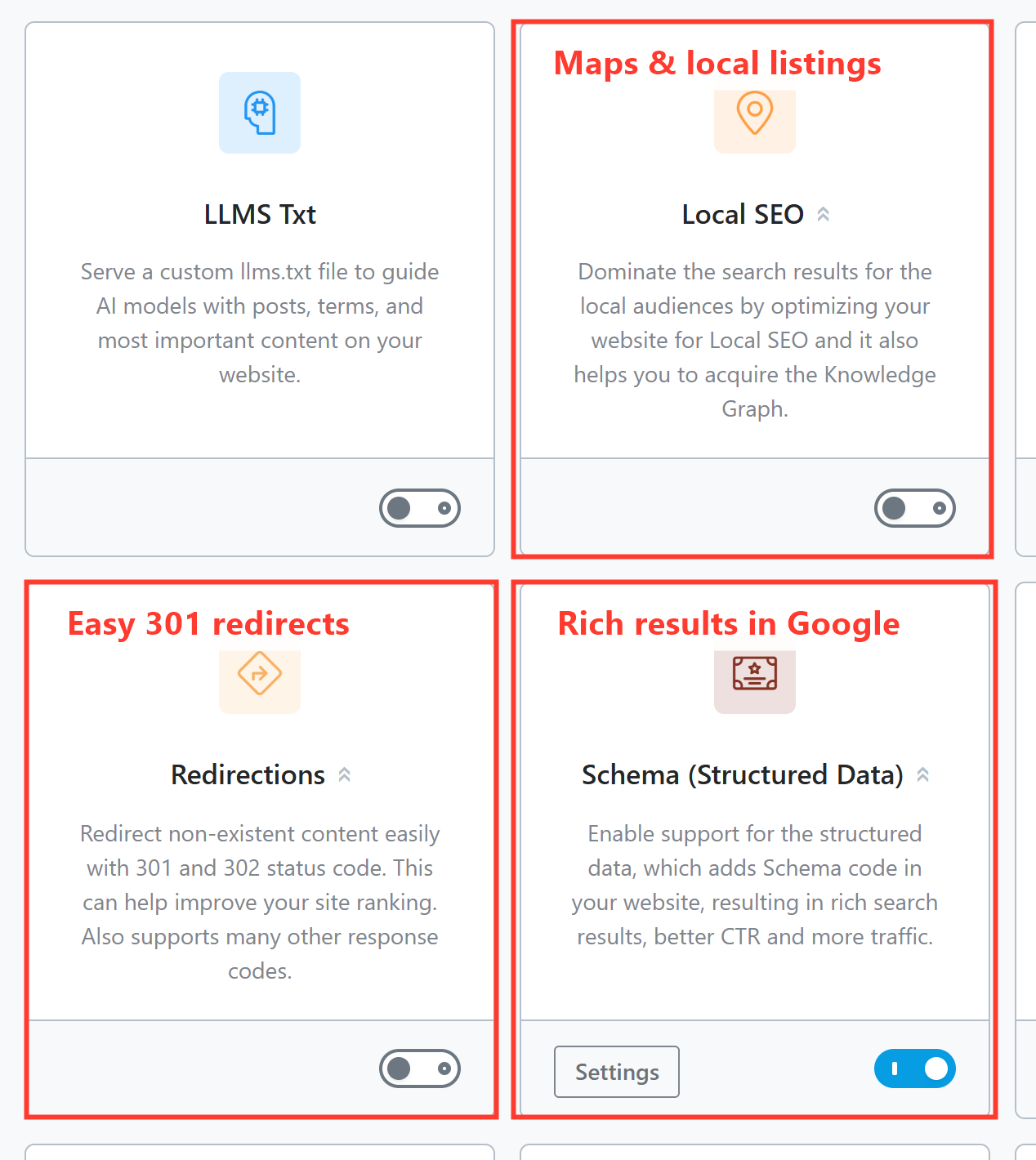
Redirections — fix broken URLs without code
A redirect sends anyone (and Google) who visits an old URL to a new one. The classic case: you change a page’s slug, and every old link would now 404 — a redirect quietly forwards them to the right place. Normally that means editing server files; Rank Math gives you a friendly screen instead.
With the module on, go to Rank Math SEO → Redirections → Add New, enter the old URL as the Source, the new URL as the Destination, and leave the type as 301 (Permanent Move) — that’s the one that passes ranking value across. Save, and you’re done.
404 Monitor — catch the broken links you didn’t know about
The 404 Monitor quietly logs every “page not found” error visitors hit on your site — mistyped links, deleted pages, links from other sites pointing at the wrong place. Open Rank Math SEO → 404 Monitor and you’ll see a list of those dead URLs and how often they’re hit.
The two pair up beautifully: spot a recurring 404 in the monitor, then create a redirect for it (Rank Math even lets you do it in one click). That’s how you plug the leaks that lose visitors and link value.
Schema — earn rich results in Google
Schema (also called structured data or rich snippets) is hidden code that tells Google what your content is — an article, a recipe, a product, an FAQ, an event. Get it right and Google can show rich results: star ratings, FAQ drop-downs, recipe cook times and more, which make your listing stand out and earn more clicks.
Rank Math adds sensible default schema automatically (usually Article for posts). To customise it on a specific page, open the post, go to the Schema tab in the SEO box (remember the tabs from Part 4?), and pick the type that matches — FAQ and How-to are especially powerful for the right content.
Local SEO — for businesses with a place on the map
If you serve a local area — a shop, clinic, restaurant, tradesperson — the Local SEO module is for you. Switch it on and fill in your business name, address and phone (the “NAP”), opening hours, and business type. Rank Math then outputs the local schema that helps you appear in map packs and can feed Google’s Knowledge Graph panel.
Pair it with a Google Business Profile and consistent NAP details across the web, and you’ve covered the local-SEO basics most small businesses miss.
⚠️ Enable what you’ll use. Turning on Local SEO when you’re a national blog, or Schema types that don’t fit your content, just adds noise. Each of these modules is genuinely useful — but only when it matches your site. Switch on what serves your goals and leave the rest.
That’s the series!
You’ve gone from a blank WordPress site to a properly configured, well-optimised, measurable one — the same Rank Math setup I use on client projects. Here’s the whole series in order if you want to revisit anything:
- Installing & Setting Up Rank Math
- The Dashboard & Modules Explained
- Titles & Meta
- Optimizing Every Post
- Sitemaps, Search Console & Analytics
- Advanced features (you’re here)
Rather have someone set all of this up — redirects, schema, local SEO and the lot — done right the first time? That’s exactly what I do. See how I can help with SEO — or just reach out and say hi.