Here we are — the final part. You’ve gone from “what even is WordPress?” all the way to security and backups (Part 9). You understand what your site is, where it lives, how to run it, design it, extend it, optimize it, and protect it. That’s genuinely more than most business owners ever learn. Well done.
So let’s finish with the part that keeps it all running smoothly: ongoing maintenance — and an honest conversation about when it makes sense to stop doing this yourself and hand it to a pro.
📚 This is Part 10 — the finale of my “WordPress Zero to Hero” series. You can revisit the whole series here any time — it’s designed to be a reference you come back to.
Why maintenance matters
A website isn’t a “build it and forget it” asset — it’s more like a car. Run it for years with zero servicing and one day it leaves you stranded. A little regular upkeep prevents the big, expensive breakdowns: a site that goes down during your busiest week, a hack that could’ve been patched, or a slow decline in speed and rankings nobody noticed until it hurt.
Your simple maintenance routine
You don’t need a complicated checklist. Here’s a realistic rhythm for a busy business owner:
| How often | What to do |
|---|---|
| Weekly | Run updates (WordPress, themes, plugins); confirm a backup ran; glance at the site to check nothing looks broken |
| Monthly | Check your site speed; review and remove unused plugins; skim for spam comments |
| Quarterly | Test a backup restore; review security; check for broken links and outdated content |
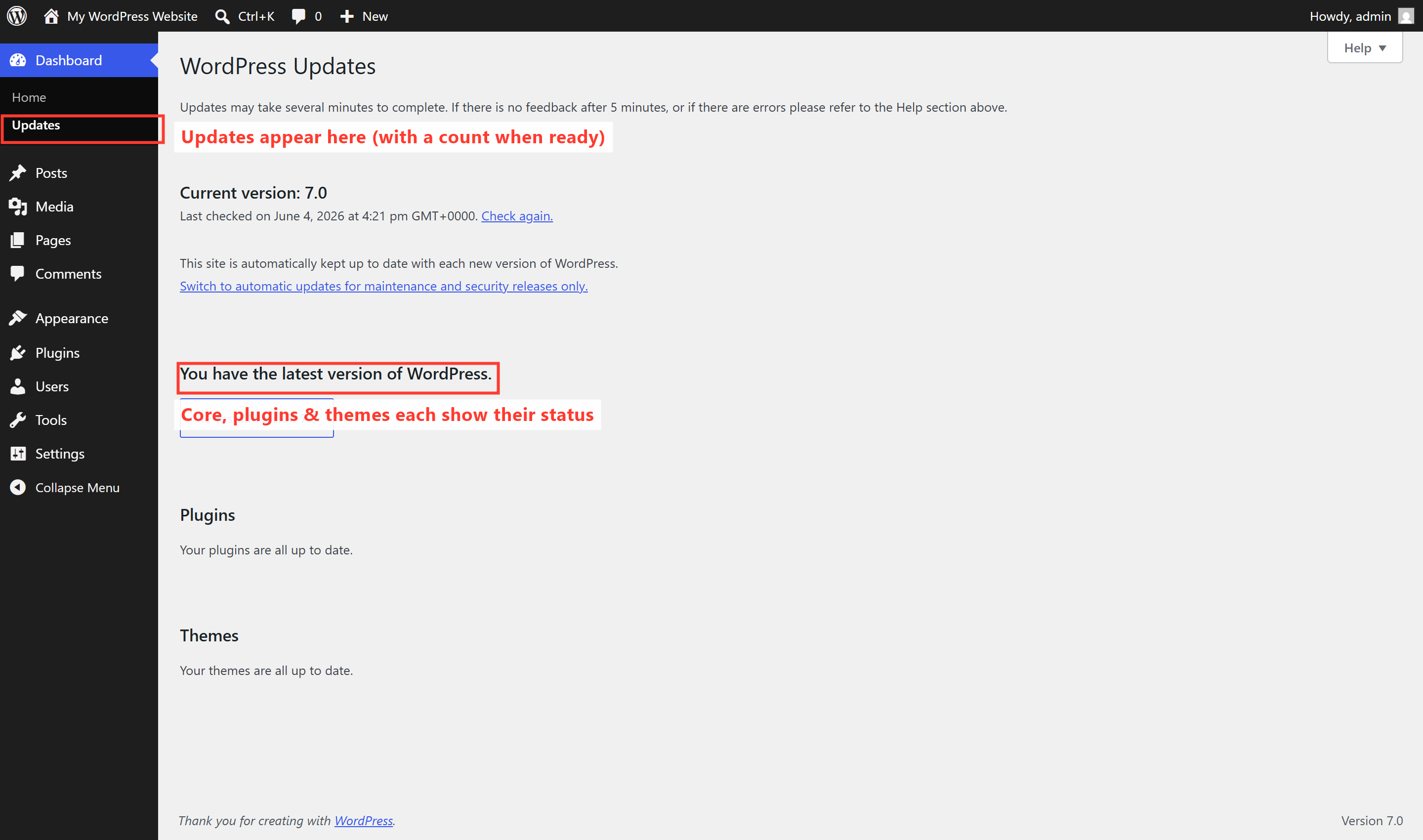
The cornerstone is updates. WordPress shows you exactly what needs updating under the Updates screen — usually just a click:
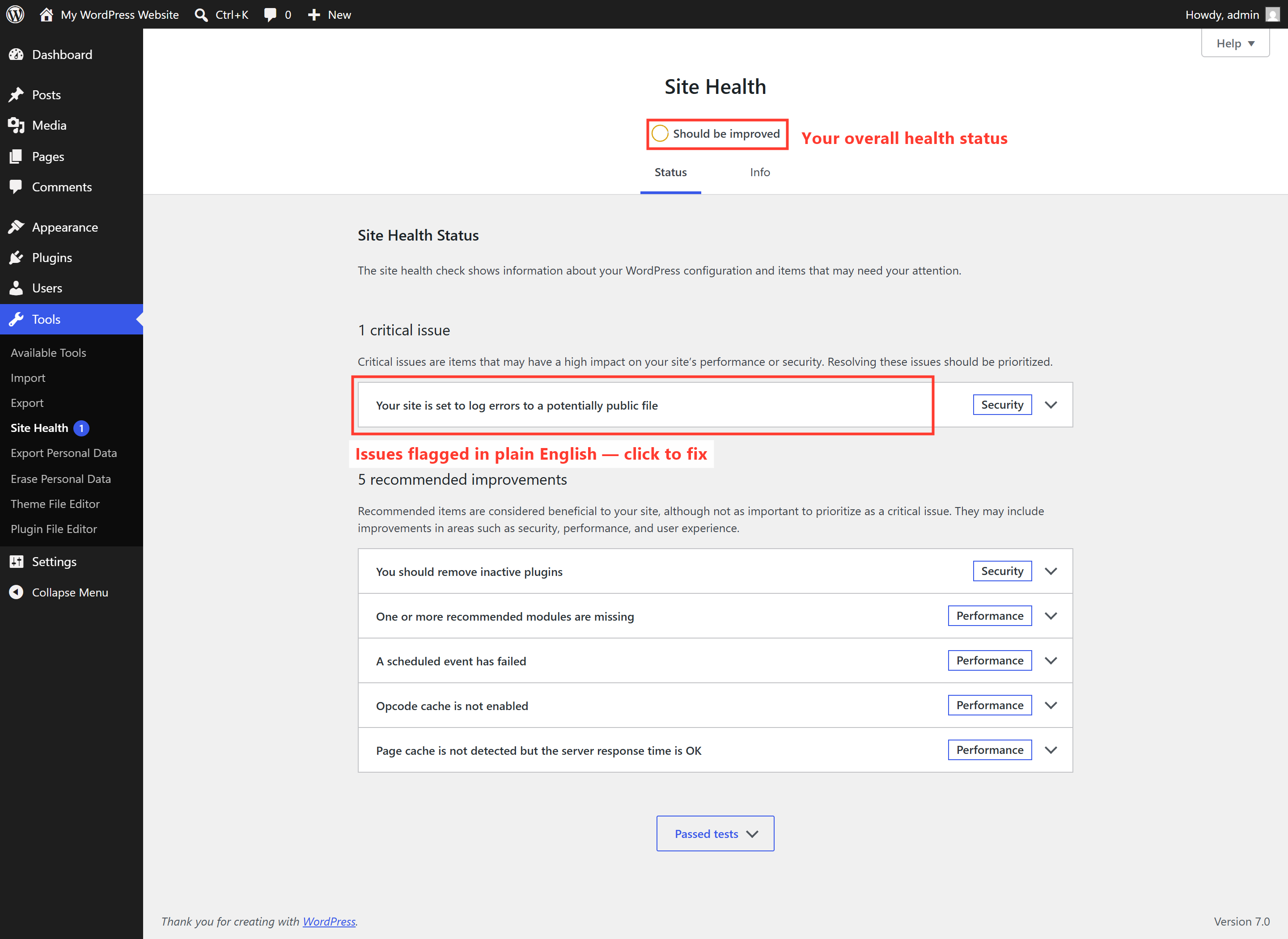
WordPress also has a built-in Site Health tool (under Tools) that checks your site and flags issues in plain language — a handy at-a-glance report card:
⚠️ Always back up before you update. Updates are essential and usually painless — but occasionally one conflicts with something. With a fresh backup (Part 9), a bad update is a five-minute restore instead of an emergency. Back up, then update. Every time.
When should you hire a professional?
I’ve spent this whole series helping you do things yourself — so let me be genuinely honest about the other side. Doing it yourself is brilliant for learning, for small tweaks, and for staying in control. But your time is valuable, and your website is often the hardest-working salesperson you have. It’s worth bringing in a pro when:
- The stakes are high — your site drives real revenue and downtime genuinely costs you money.
- You’re spending hours fighting it instead of running your business. That time has a cost too.
- You want it done right the first time — a fast, polished, properly optimized site, without the trial and error.
- Something’s broken or hacked and you’re out of your depth — the wrong fix can make it worse.
- You’d simply rather hand off the upkeep and never think about updates and backups again.
There’s no shame in either choice. The best outcome is often a blend: you understand your site (which this series gave you), and a professional handles the heavy lifting and the ongoing care. Knowing how it all works just makes you a better, more confident client.
🎉 You made it from Zero to Hero. You now understand WordPress better than most people who own a site. Whether you run it yourself or hand it off, you’re in control — and that was the entire goal of this series. Thank you for reading along.
Ready to hand it to someone who does this every day?
If you’ve read this far, you clearly care about getting your website right. That’s exactly the kind of business owner I love working with. Building fast, secure, search-friendly WordPress sites — and looking after them so you don’t have to — is what I do every single day.
Whether you want a brand-new site, a rescue of an existing one, or someone reliable to handle the maintenance — take a look at how I can help, or hire me on Upwork and say hi there. And if you found this series useful, share it with another business owner who’d benefit.