
This is the start of my in-depth Rank Math series — a hands-on, screenshot-by-screenshot walkthrough of the SEO plugin I install on almost every WordPress site I build. We begin where everyone has to: getting Rank Math installed and set up correctly.
Don’t worry — it’s genuinely quick, and I’ll point out exactly what to click at each step.
📚 Part 1 of my in-depth Rank Math series (within my WordPress Plugin Guides). Follow the six parts in order to go from zero to a fully optimized site. Every screenshot was captured in a real, free WordPress Playground so you can follow along.
Installing Rank Math
Rank Math installs like any other plugin. In your WordPress dashboard:
- Go to Plugins → Add New Plugin.
- Search for “Rank Math” (the full name is Rank Math SEO).
- Click Install Now, then Activate.
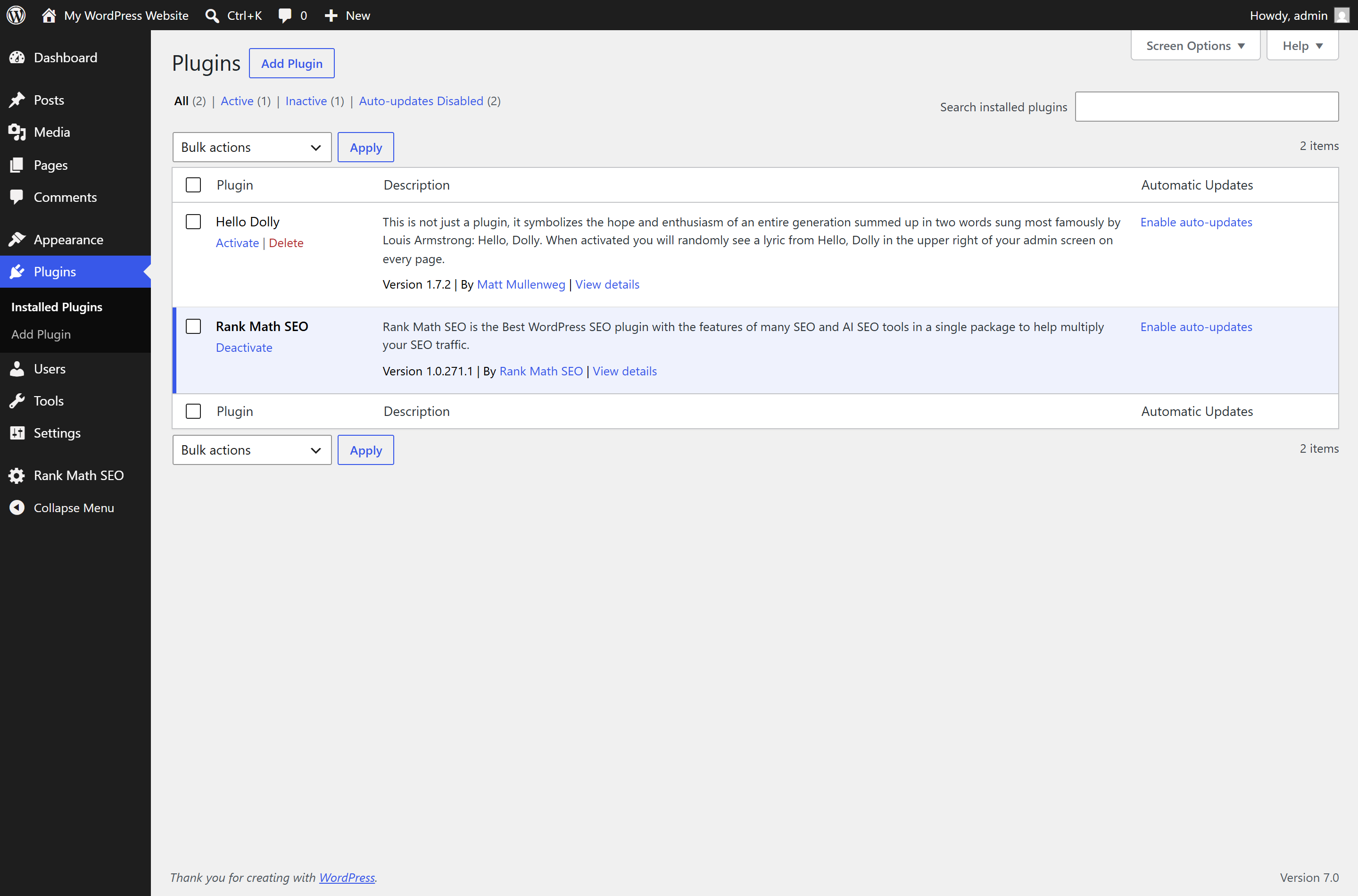
Once it’s active, you’ll see it in your plugins list, and a brand-new Rank Math SEO menu appears in your sidebar — that’s your SEO control center from now on:
The setup wizard, step by step
The moment you activate Rank Math, it launches a setup wizard to configure the essentials. The progress bar across the top shows the six quick steps, and the first one asks you to choose a setup mode:
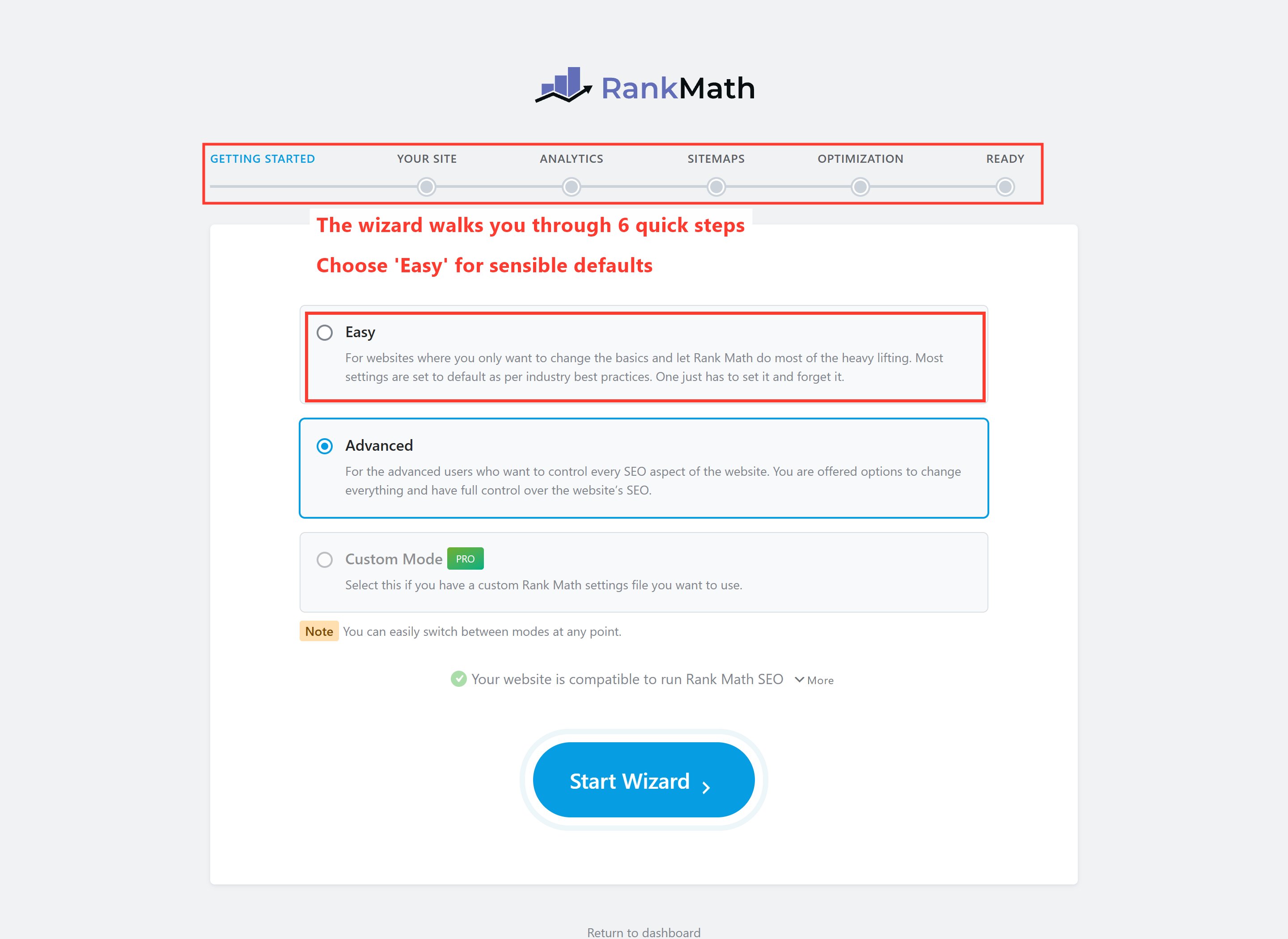
Choose Easy (unless you’re an SEO pro who wants to fine-tune everything), click Start Wizard, and work through the steps:
- Your Site — tell Rank Math what kind of site this is (business, blog, shop), and upload your logo. This feeds the “rich results” Google can show for your brand.
- Analytics — connect Google Search Console (and optionally Analytics). This pulls your real ranking data right into WordPress. We’ll cover this properly in Part 5 — you can skip and connect later.
- Sitemaps — leave this on. Rank Math builds and updates an XML sitemap (a map of your site for Google) automatically.
- Optimization — a few smart on/off toggles (like noindexing thin, empty pages). The defaults are good; leave them as-is.
- Ready — that’s it. You can optionally enable a couple of advanced features, then you’re done.
⚠️ You don’t need a Rank Math account to use it. The wizard may invite you to connect a free Rank Math account — it unlocks a few extras (like keyword suggestions), but it’s entirely optional. You can click Skip and Rank Math works perfectly well without it. Don’t let that step stop you.
🚀 Try it yourself: Open WordPress Playground, go to Plugins → Add New, and install Rank Math. You’ll get the exact wizard above in a safe sandbox — the perfect place to click around with zero risk before doing it on your real site.
What’s next
Rank Math is installed and the basics are configured. In Part 2, I’ll give you a proper tour of the Rank Math dashboard and its modules — the features to switch on, and the ones to safely ignore. Continue to Part 2 →
Want Rank Math installed and configured properly — tuned to your site, not just left on defaults? That’s part of every WordPress project I take on. See how I can help — or hire me on Upwork and say hi there.